
Capinbill's UI
Zevix — Tue, 09/07/2010 - 10:36
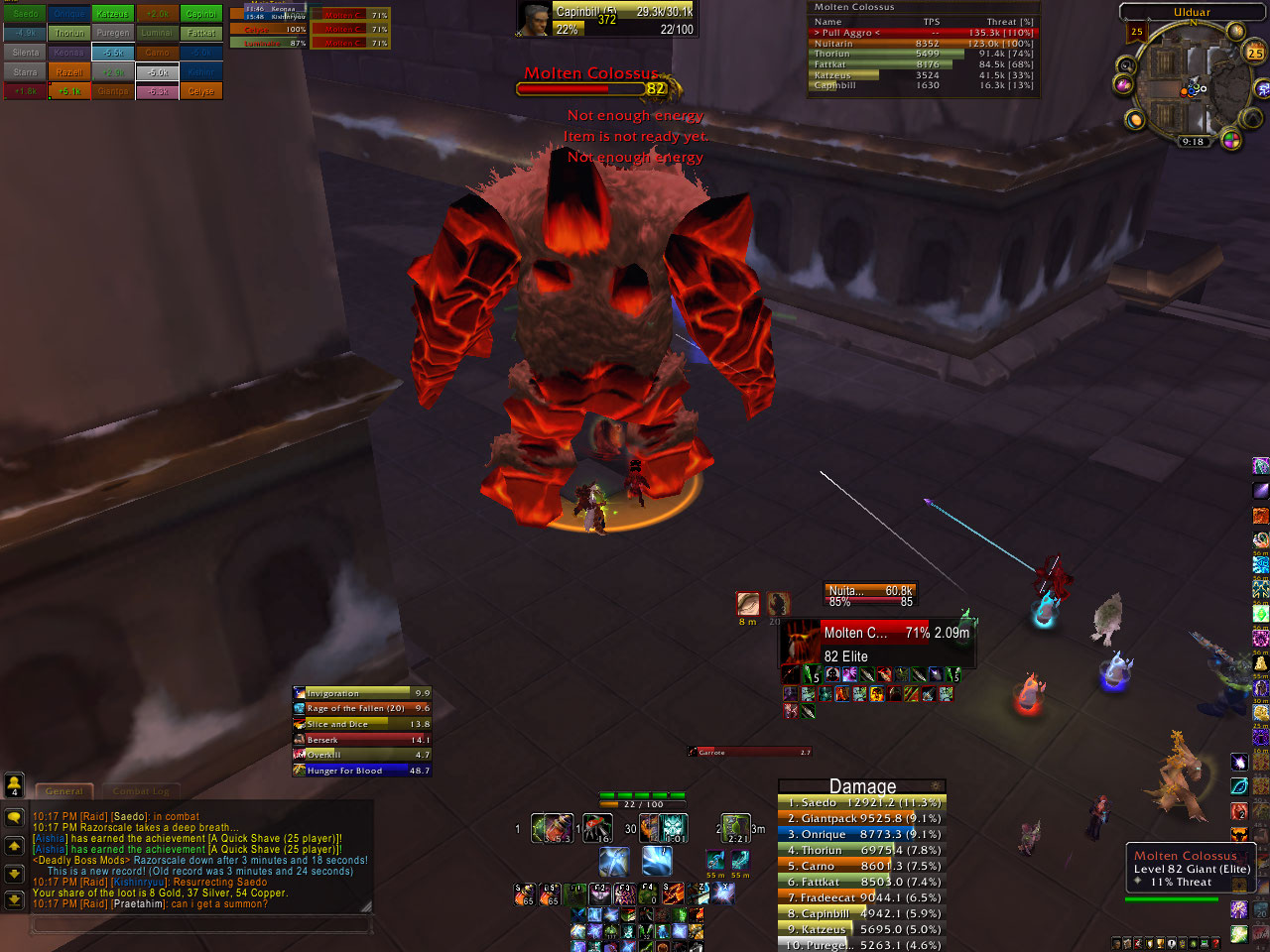
Below I have listed two of my recent screen shots of my UI, between the two they Should give a good look @ my UI in combat.
Anyone got any suggestions for improvements / other helpful addons I might try. I like to keep most of the mods on the light side of memory but I'll try just about anything. I really like to get as much open space as possible to max out my areas to see shit coming.
Addons shown:
DBM - raid timers
Sexycooldown - CD tracker
Bartender 4 - bars
Shadowed UF - unit frames
Rogue power bars - ability timers
Roguefocusclassic - energy / combo point tracker
Buffalo 3 - Buff / Debuffs
Skada - Damage Meters
Omen - Threat Meter
ORa 2 - Main tank frames
(I might be missing one xD)
| Attachment | Size |
|---|---|
| Capinbill'sUIinCombat3.3.jpg | 257.15 KB |
| Capinbill'sUI3.3inUlduar.jpg | 291.21 KB |



If you're using Skada, you
saedo — Tue, 09/07/2010 - 11:19If you're using Skada, you can cut Omen out. Just set up a 2nd window, have it display Threat (load that module if you haven't). Or set it up to switch to threat while in combat or something.
Yea, I have a bad habit of
Zevix — Tue, 09/07/2010 - 11:27Yea, I have a bad habit of watching the damage meters during fights. Thats the reason I run both Omen and Skada normally.
Skada has it's own Threat
saedo — Tue, 09/07/2010 - 12:22Skada has it's own Threat meter. So if you want to cut down on mods, Omen is redundant. You just have to set Skada up to show threat, in a 2nd window if you want damage showing too.
How do I go about setting up
Zevix — Thu, 09/09/2010 - 15:52How do I go about setting up that next window so I can see both in combat?
create a new window in skada,
Ghli — Thu, 09/09/2010 - 15:59create a new window in skada, set it up for threat, or the ability to swap in and out of combat with some other meter
Thanks, i'll have to try
Zevix — Thu, 09/09/2010 - 17:38Thanks, i'll have to try that?